
Prodigy will count all classes between your initial date and expiration date that you set on your certification. We rely on you to input these dates and can not get them directly from the NREMT or your state. These will be reflected on your training plan.

To update these dates:
- Click on "Certifications" from the menu
- Click on the specific certification you are looking to update.
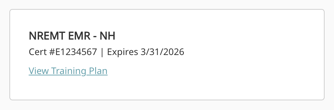
- Click on the version of the certification you would like to edit.

- Update the dates

The initial date should be the date you received your most recent certification. You can find this date on your dashboard of your NREMT account under recertification cycle. You can also find this date on most state accounts.
If you do not know your initial date, you can add your last expiration date here as well. For instance, if you expired last on 3/31/2024 and you now expire on 3/31/2024, you can use 3/31/2024 as your initial date.